SpamExperts Spam Panel: Difference between revisions
Jump to navigation
Jump to search
No edit summary |
No edit summary |
||
| Line 20: | Line 20: | ||
[[File:Spampanel_dashboard.png|512px]] | [[File:Spampanel_dashboard.png|512px]] | ||
We want to call your attention to the ''Incoming'' group of icons in the middle: [[File:Incoming_icons.png|320px]] | |||
Revision as of 17:59, 14 July 2014
Using the SpamExperts Spam Panel
These instructions are based on our own observations and the Spam Panel Email Level Guide. What we describe below are key features our customers will need to get work done. To dig into more esoteric features, you can hit the guide or contact Netsville directly.
Login
The URL for the Spam Panel is https://login.antispamcloud.com

Use your full email address as the Username and your email password. Then hit SUBMIT.
If Login Doesn't Work
- Hit the Retrieve log-in link button.
- Your browser should show https://login.antispamcloud.com/lostpassword.php at the top.
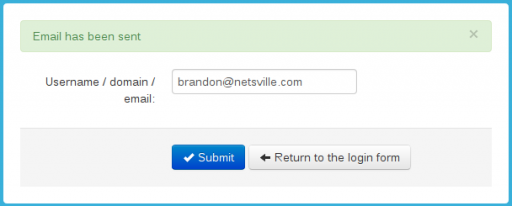
- Type in your email address.
- Hit SUBMIT and you should be greeted with an email has been sent message.

You should soon receive an email message with a temporary link inside. This will give you direct access to your quarantine account where you can reset the password.
Main Dashboard
Once you login, you'll be greeted with this main dashboard page.

We want to call your attention to the Incoming group of icons in the middle: 